

TL;DR
1
Access Sharing
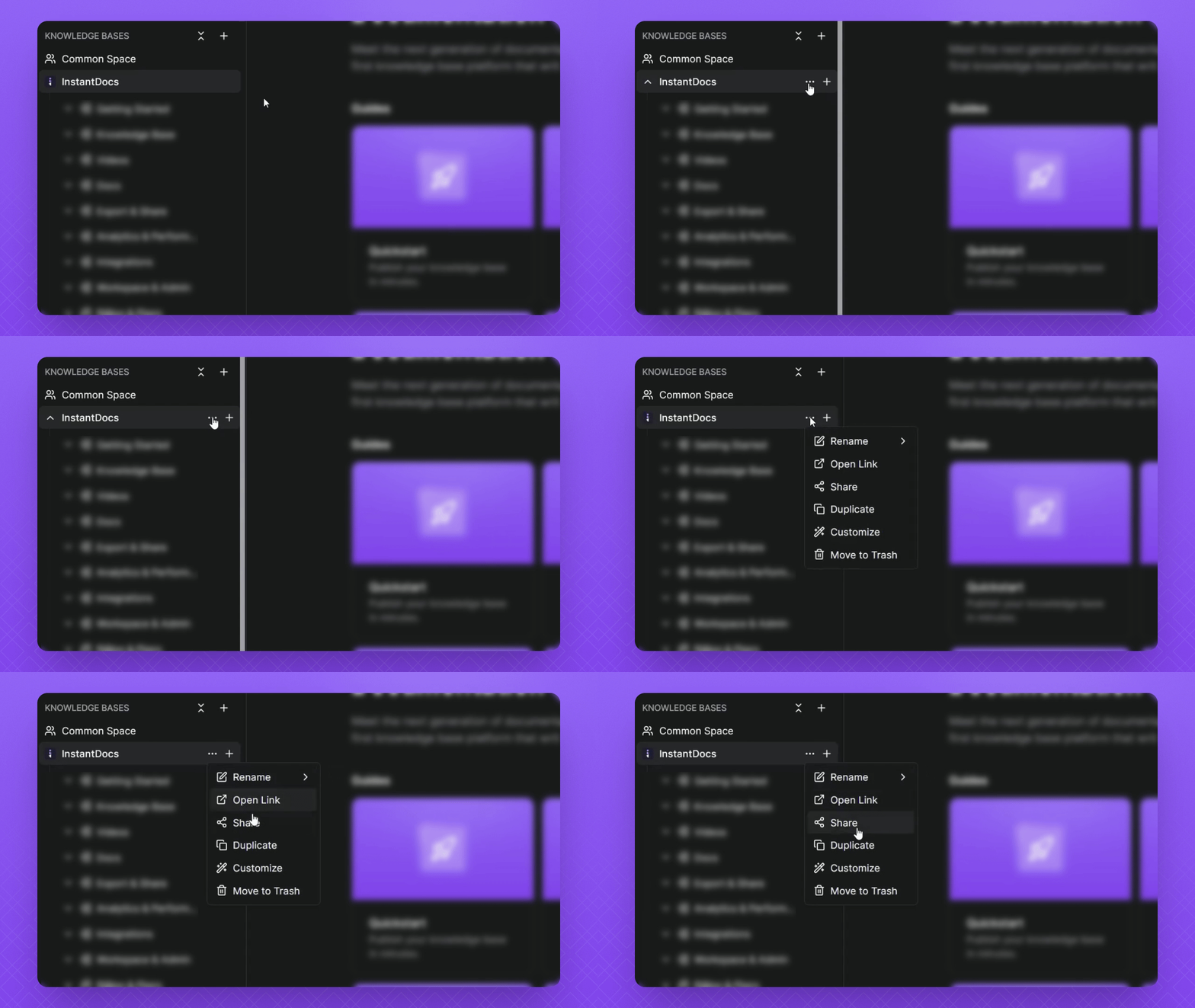
Hover over your knowledge base, click the three dots, and select Share.
2
Copy link
click Copy Link to grab a link
3
Choose link type
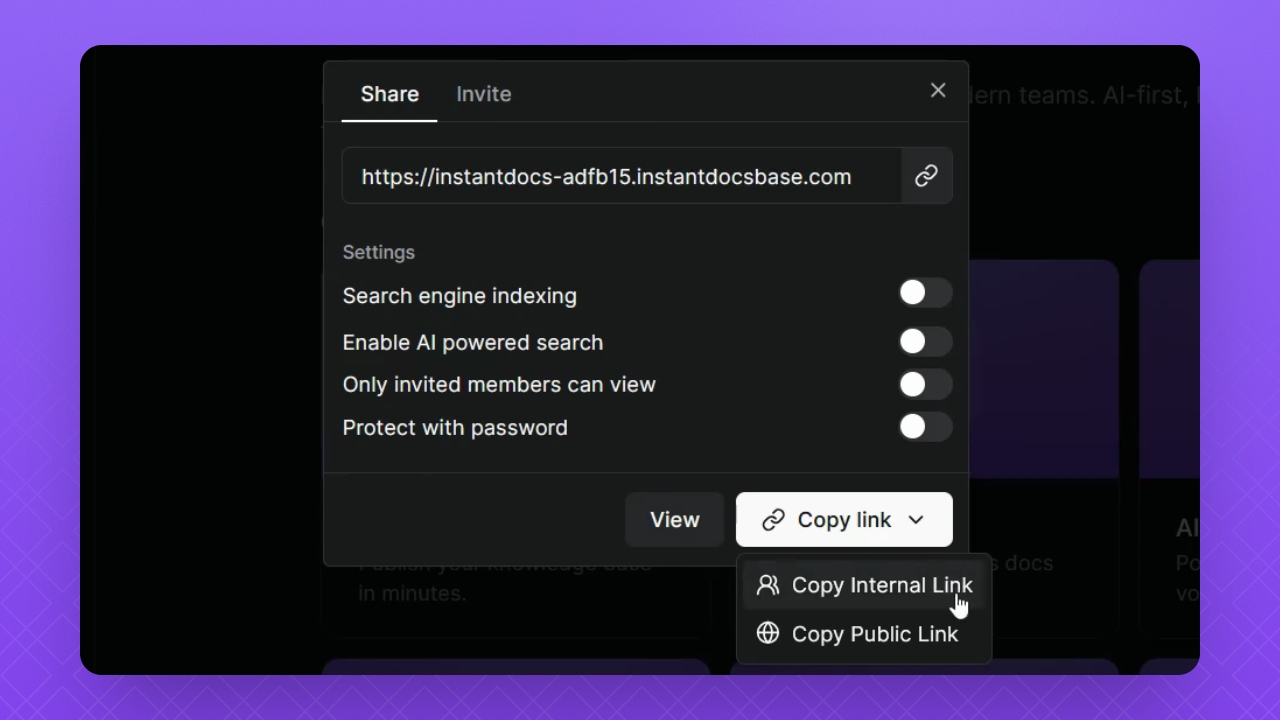
Use Internal Link for workspace, Public Link for customers.
Let's Do It Together!
Step 1: Copy the Link
Hover over the knowledge base link.
Click the three dots.
Select Share.
Click Copy Link.
Step 2: Understand Link Types
Use Copy Internal Link for editing within the workspace.
Use Copy Public link for the customer-facing knowledge base.
Click a link type to copy it to your clipboard
Paste it whenever you’re ready to share.
FAQ
What are Internal Links?
These are links you would said to your team for editing within the workspace.
What are Public Links?
These are links you would set up on your website or send to customers. It is the link for your customer-facing knowledge base.