
InstantDocs

InstantDocs

Docs

Add a Doc

Add and edit a new Doc in your Knowledge Base.

TL;DR

1
Create a new Doc
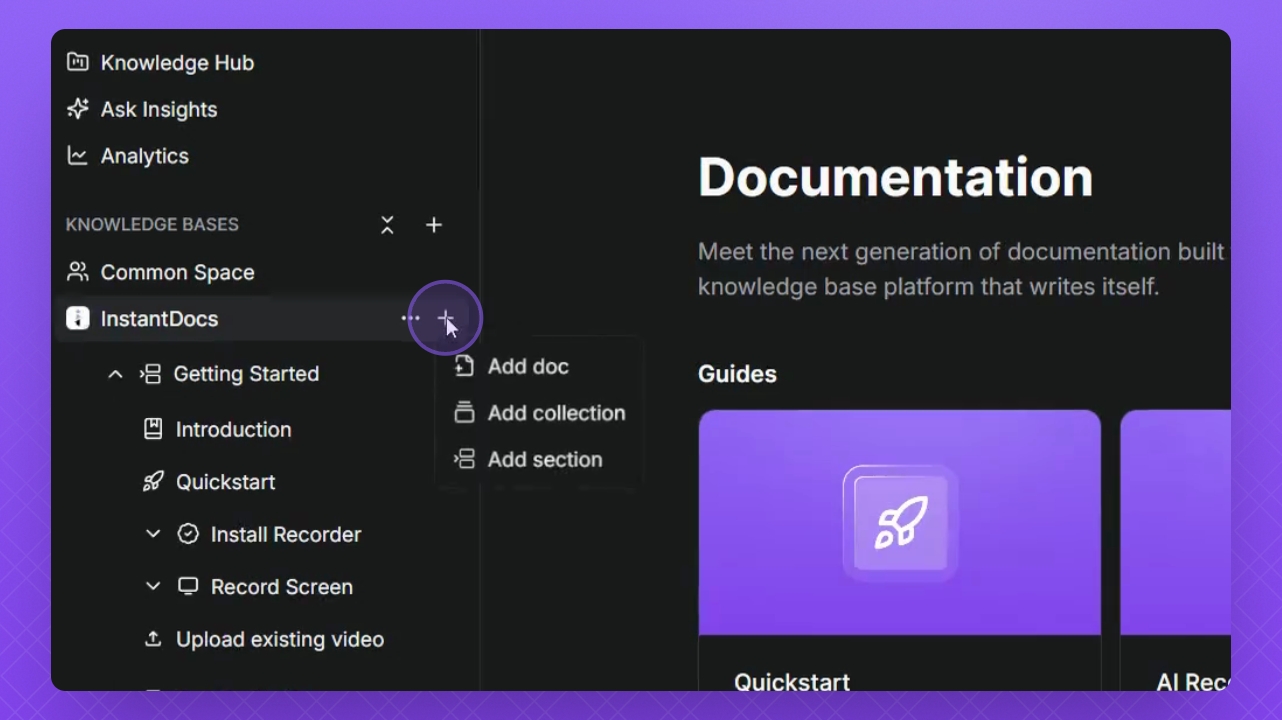
Hover your mouse cursor over the Knowledge Base and click the + icon.
2
Edit title
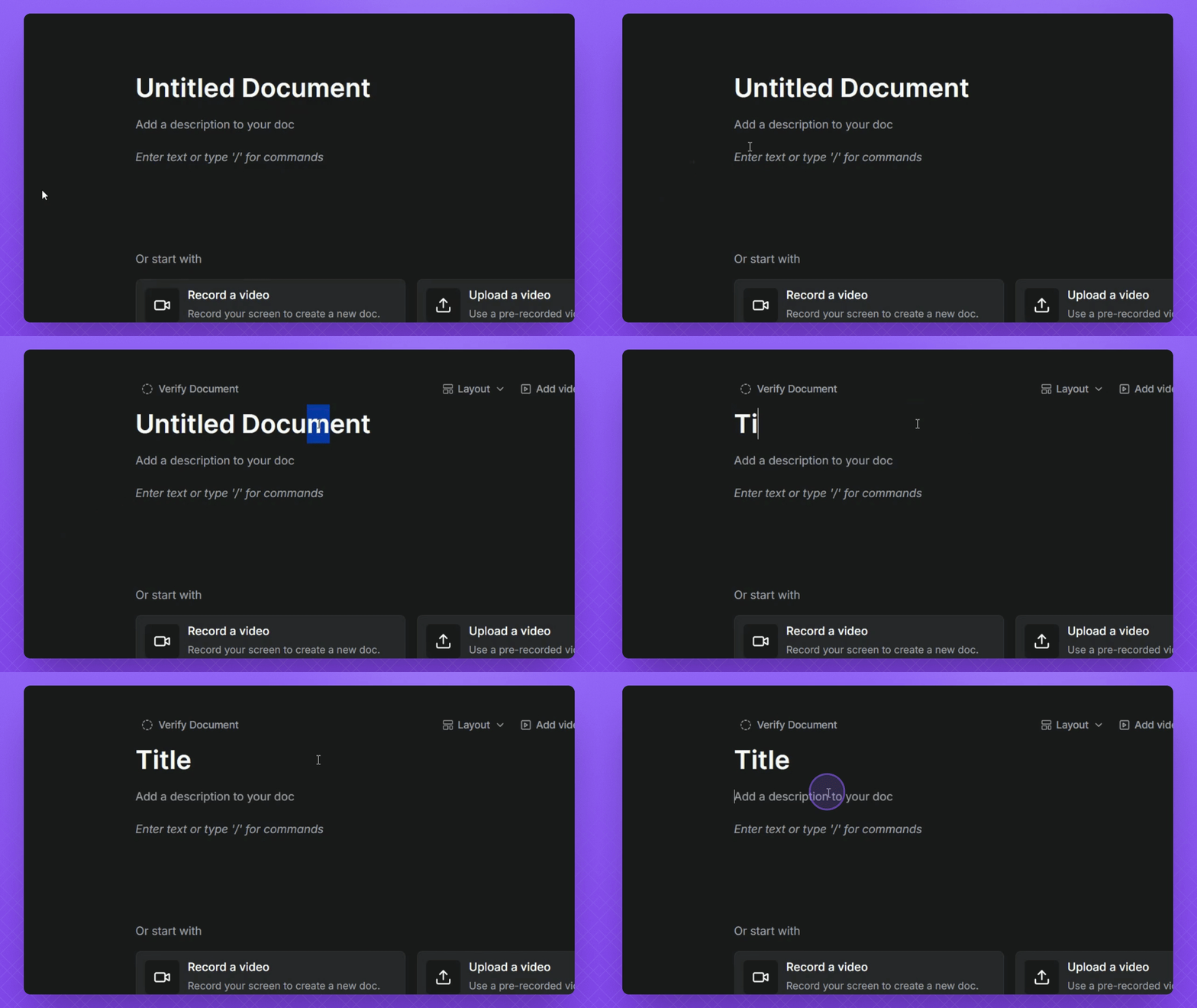
Type in the Title field to set the title.
3
Add description
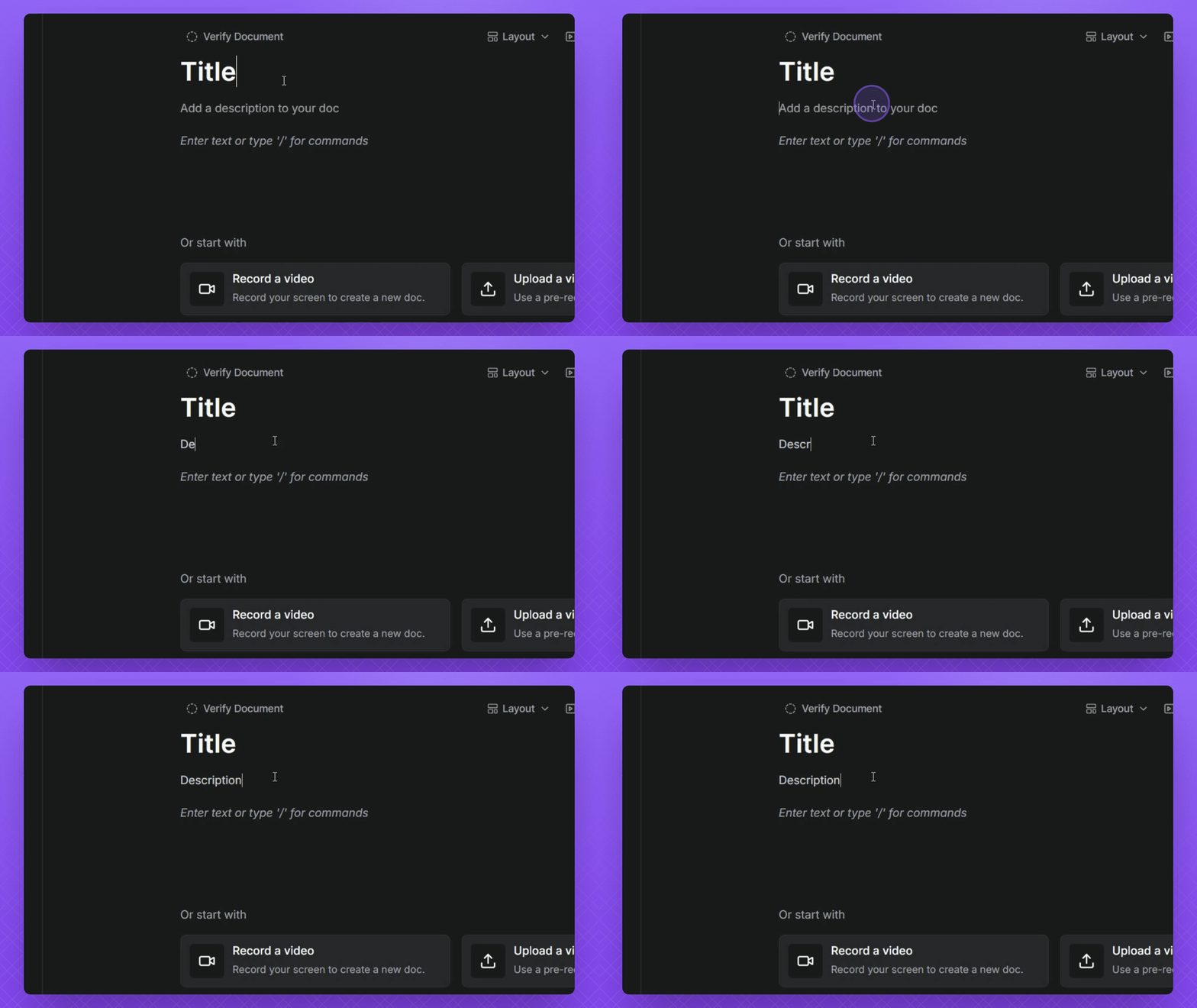
Type in the Description field below the title.
4
Add content fields
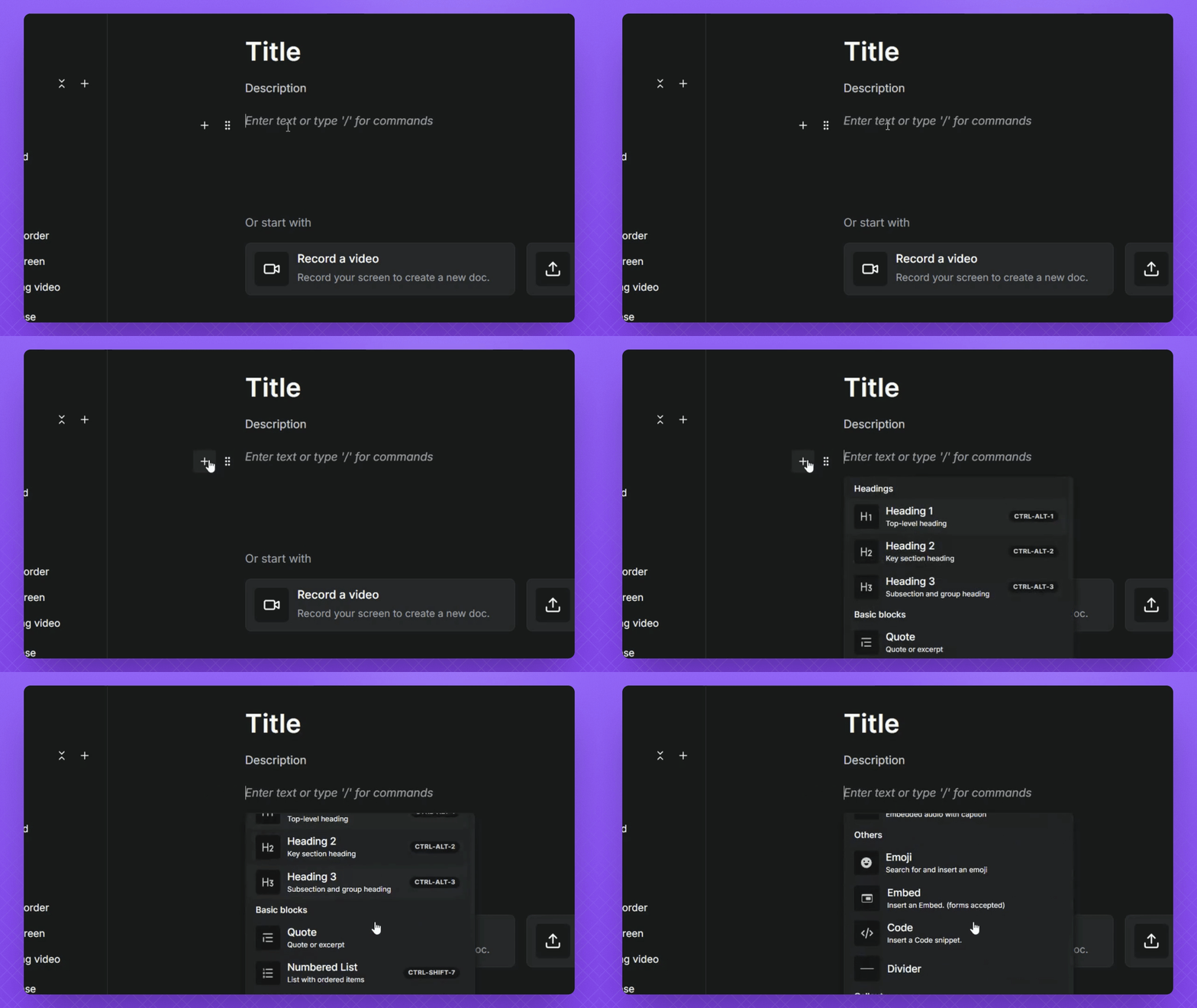
Click the + icon or type / in the fields to add content.
5
Upload video
Click Add Video to include a video from your library or device.
6
Adjust layout
Click Layout to select an icon or cover for your document.

Let's Do It Together!

Step 1: Create a New Document

  1. Hover your mouse cursor over Knowledge base, then click the + icon, and select Add Doc.
Snapshot

Step 2: Edit Document Title

  1. Type in the Title field to edit the title of your document.
Snapshot

Step 3: Add Document Description

  1. Type in the Description field below your title to add a description.
Snapshot

Step 4: Add Fields

  1. Click the + icon to see available options for fields.

  2. Alternatively, type / and search for content to add.

  3. To add more fields, click inside the Open field and press Enter on your keyboard.
Snapshot

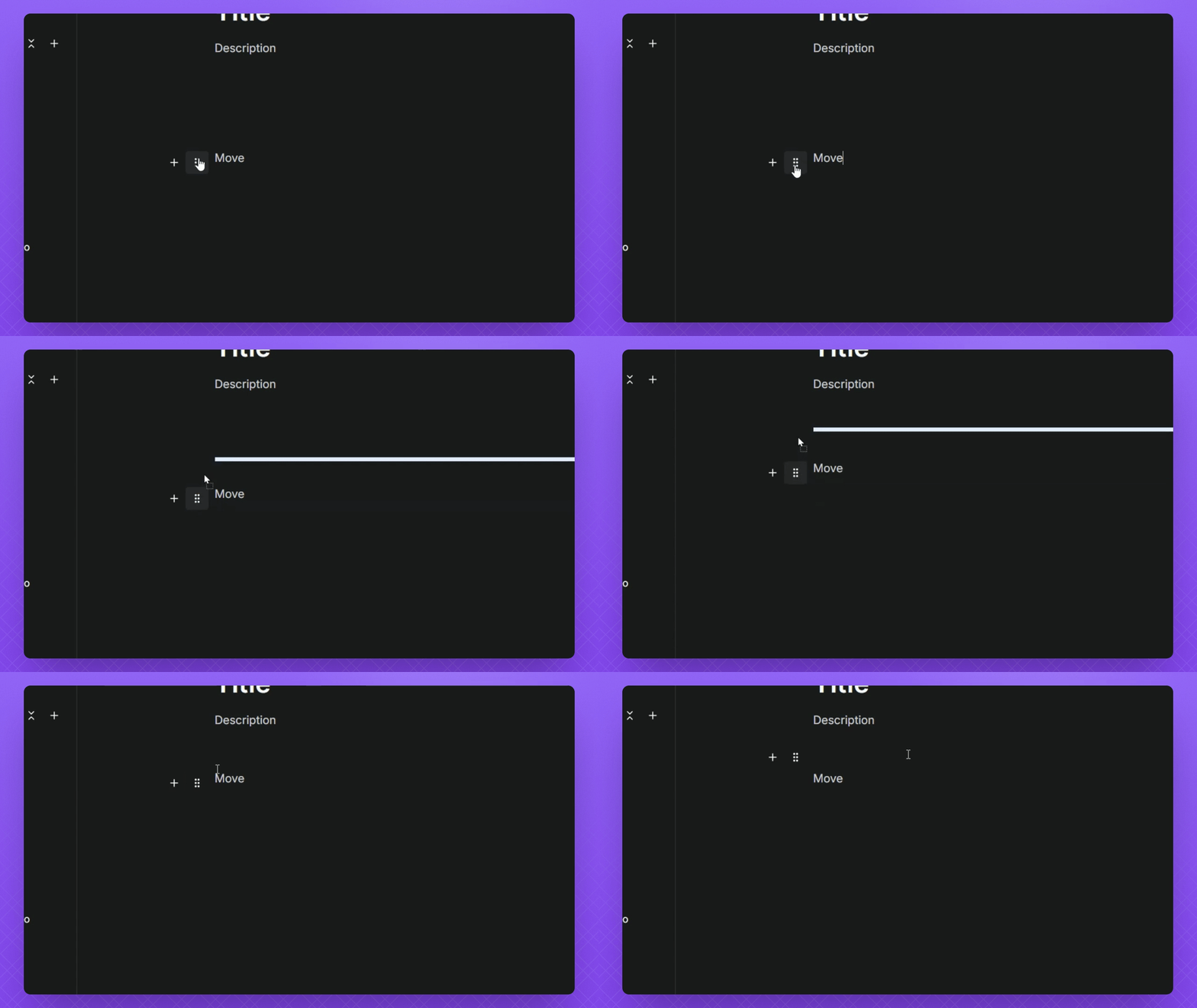
Step 5: Organize Fields

  1. Click and drag the interactable button on the left side of the field to move it up or down.
Snapshot

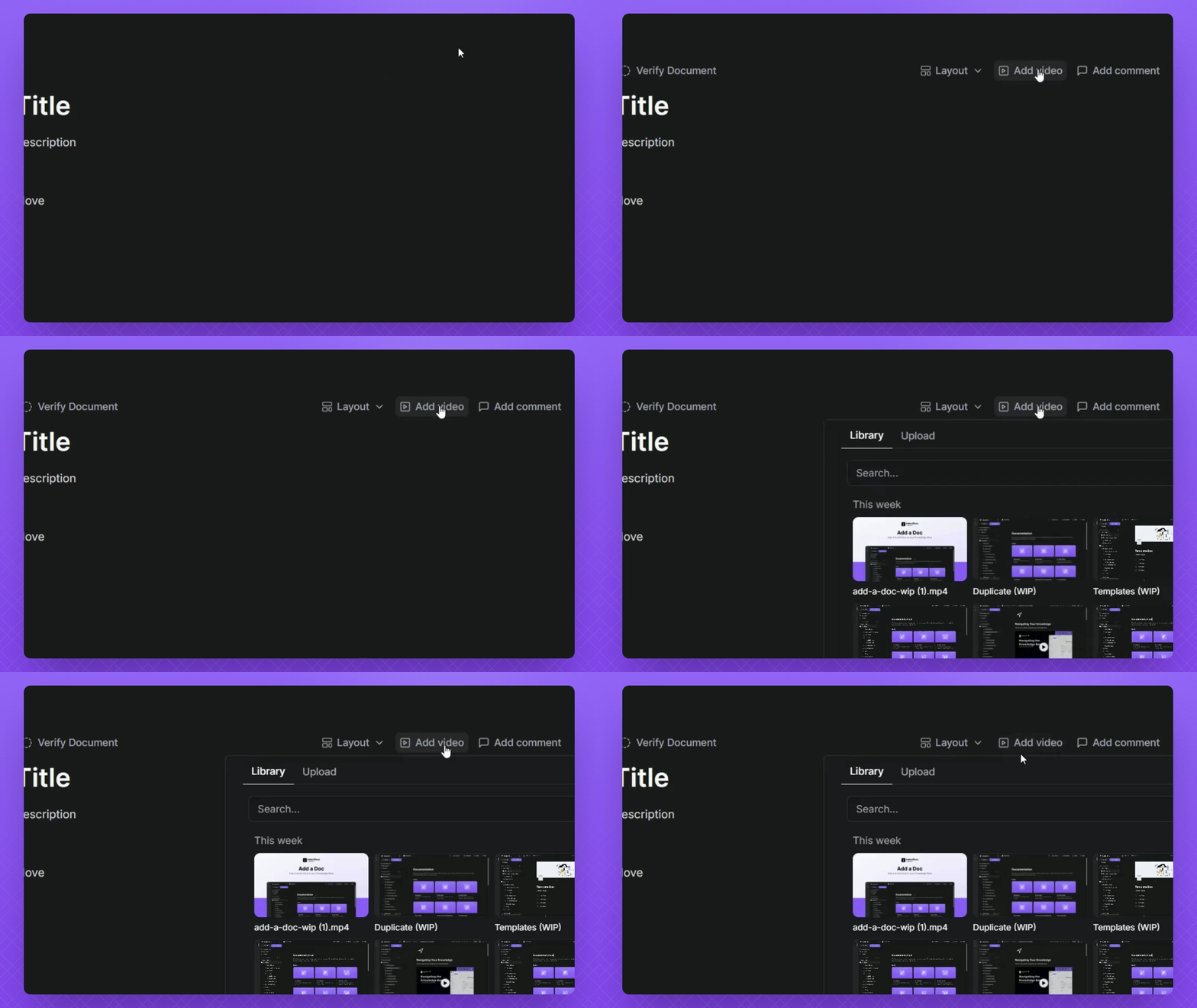
Step 6: Add Video to Doc

  1. Hover your mouse cursor above your Doc and click the Add Video button.

  2. You can add videos from your existing library or upload a video from your device.
Snapshot

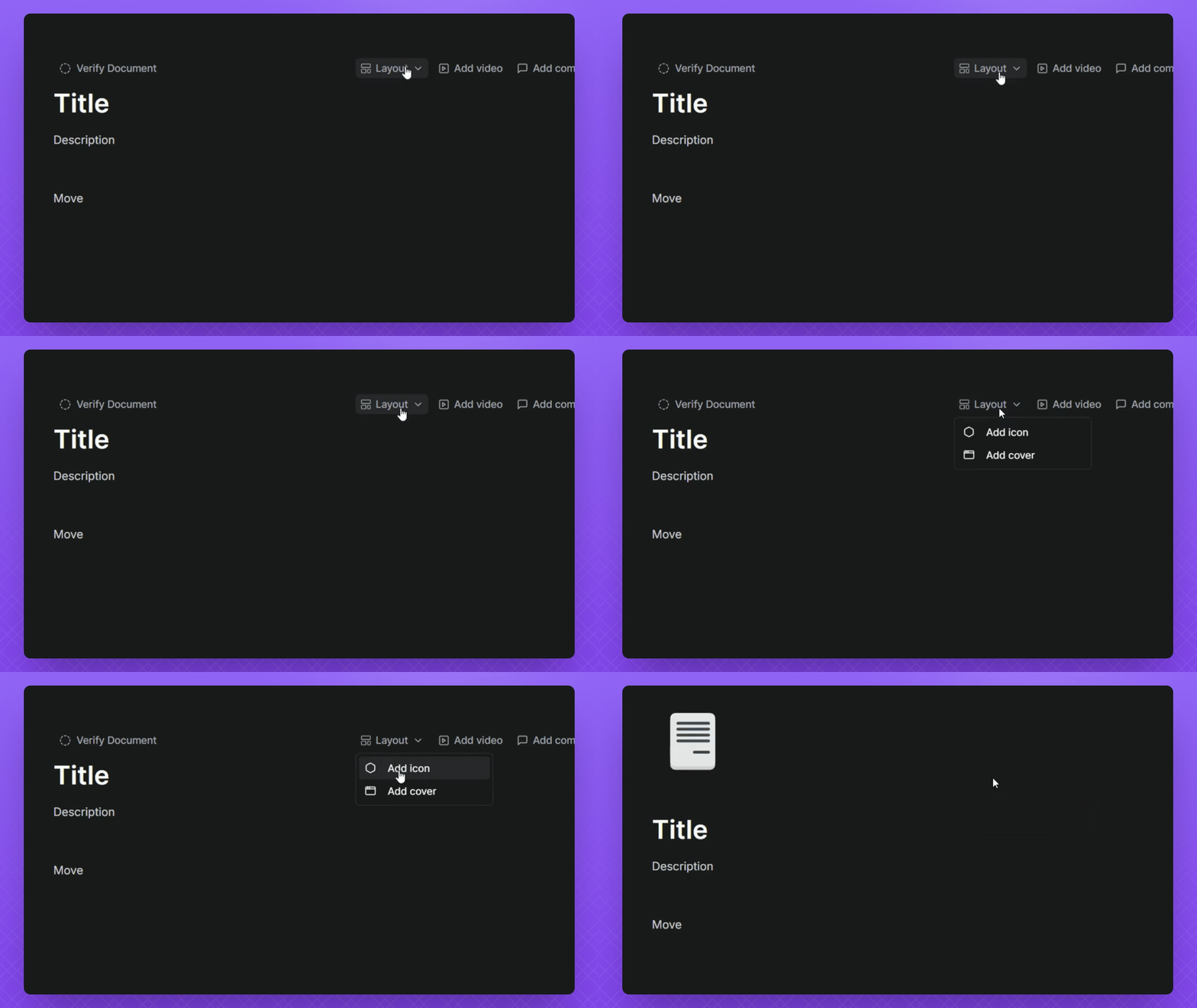
Step 7: Adjust Doc Layout

  1. Click the Layout button to select Add Icon or Add Cover.

  2. Click the icon or cover image to cycle through the image gallery or click the Upload button to apply your own cover.
Snapshot

FAQ

How do I add a new Doc to my Knowledge Base?
Hover over the Knowledge Base in the left side panel, click the + icon, and select Add Doc.
How can I add content to my Doc?
Within an open Doc, click the + icon in an open field or press the / key to choose from available content types.
How do I reorganize the fields in my Doc?
Grab the drag handle on the left of any field while hovering over it with your mouse cursor and move it to your desired location.
How can I add a video to my Doc?
Hover your mouse cursor above the top of your Doc, click Add Video, then pick from your library or upload a video file from your device.
How do I customize the layout of my Doc?
Hover your mouse cursor your Doc, Click the Layout button, then choose Add Icon or Add Cover. Select from the gallery or upload your own image.
Was this page helpful?
Previous

Docs Editor

Next

Powered by InstantDocs