Roles
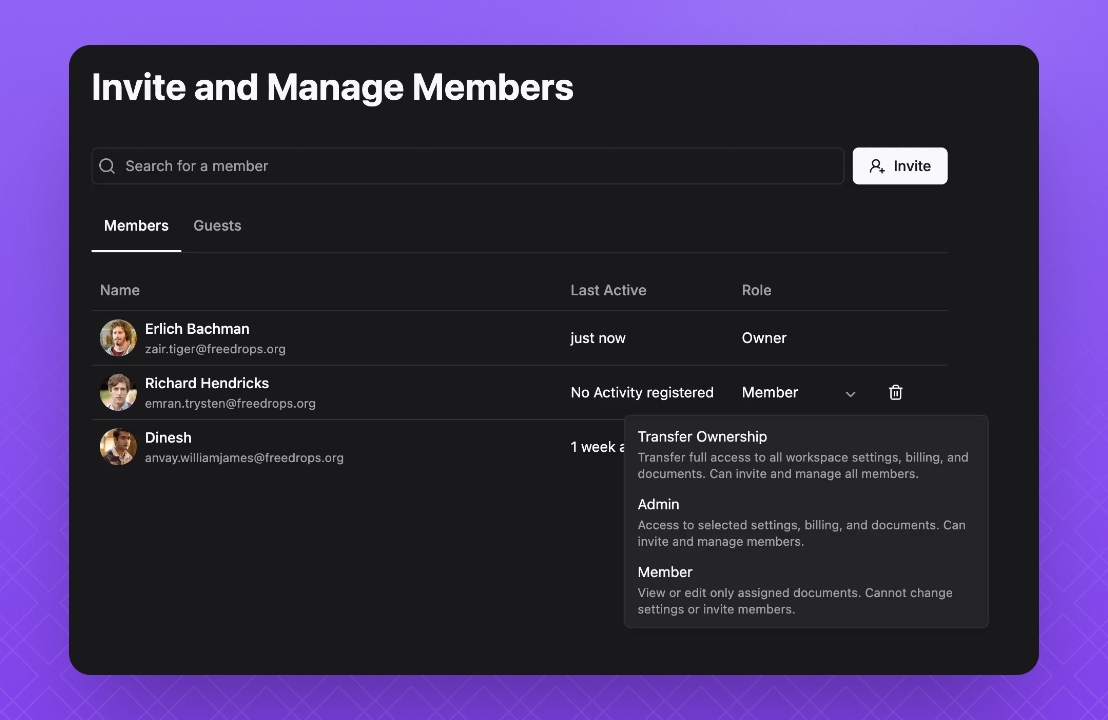
To manage roles, go to the Members page. In the Roles column, click the menu next to the member’s name and select the role you’d like to assign.
Owner
Owners have full access to all data within the workspace—which cannot be restricted or changed—along with all admin rights.
Admin
Admins have access to an "Administration" section from the Settings sidebar, where they can manage workspace-level configurations such as members, APIs, billing, and more. Aside from these additional privileges, admins follow the same rules as members.
Members
Members can access Knowledge Base data based on the permissions granted to them. They cannot modify workspace-level settings or access the Administration section.
Guest
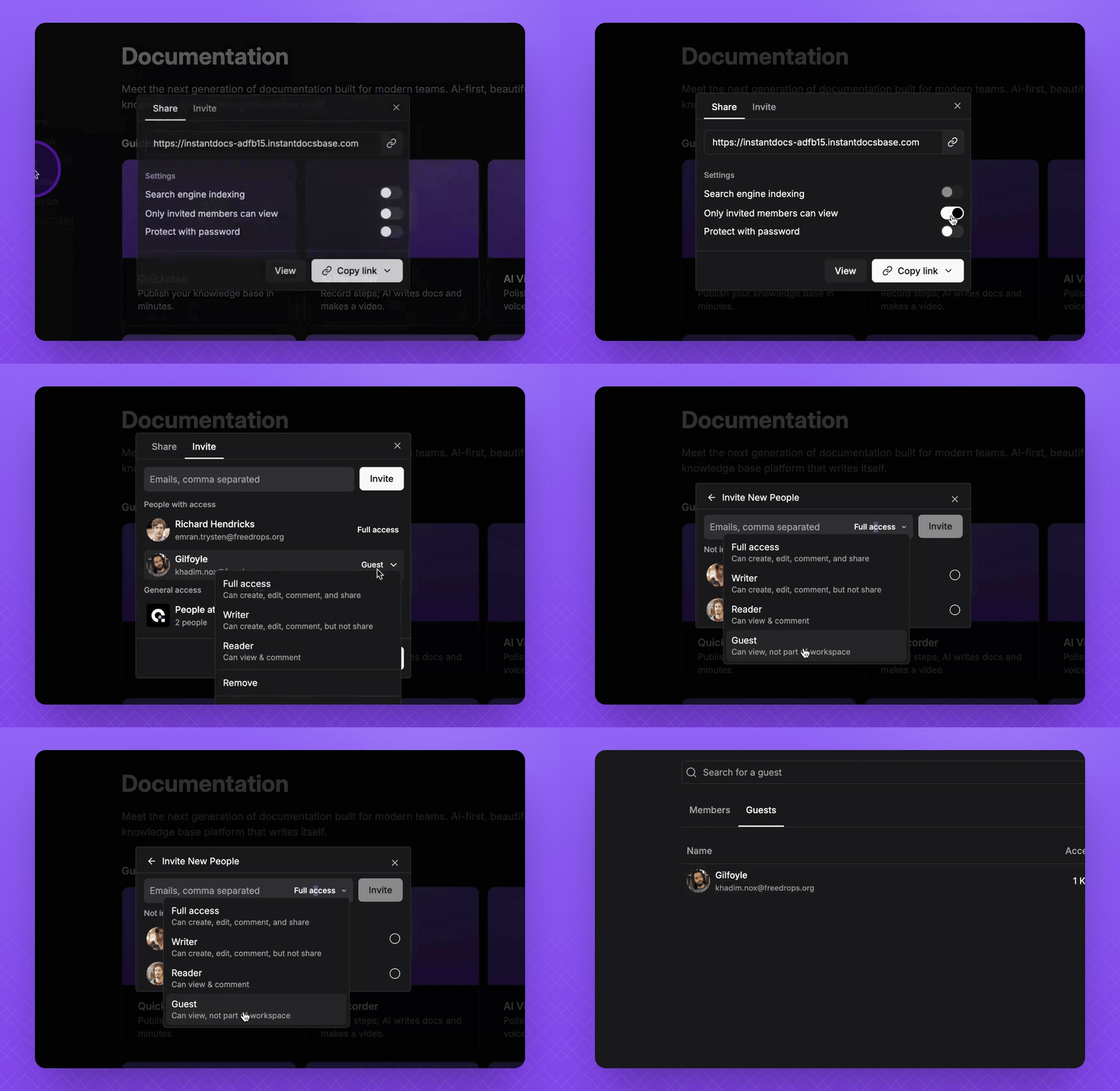
Guests are granted Guest access to one or more Knowledge Bases. They do not have access to your entire workspace—only to the specific public Knowledge Base shared with them.
In this Guest Section
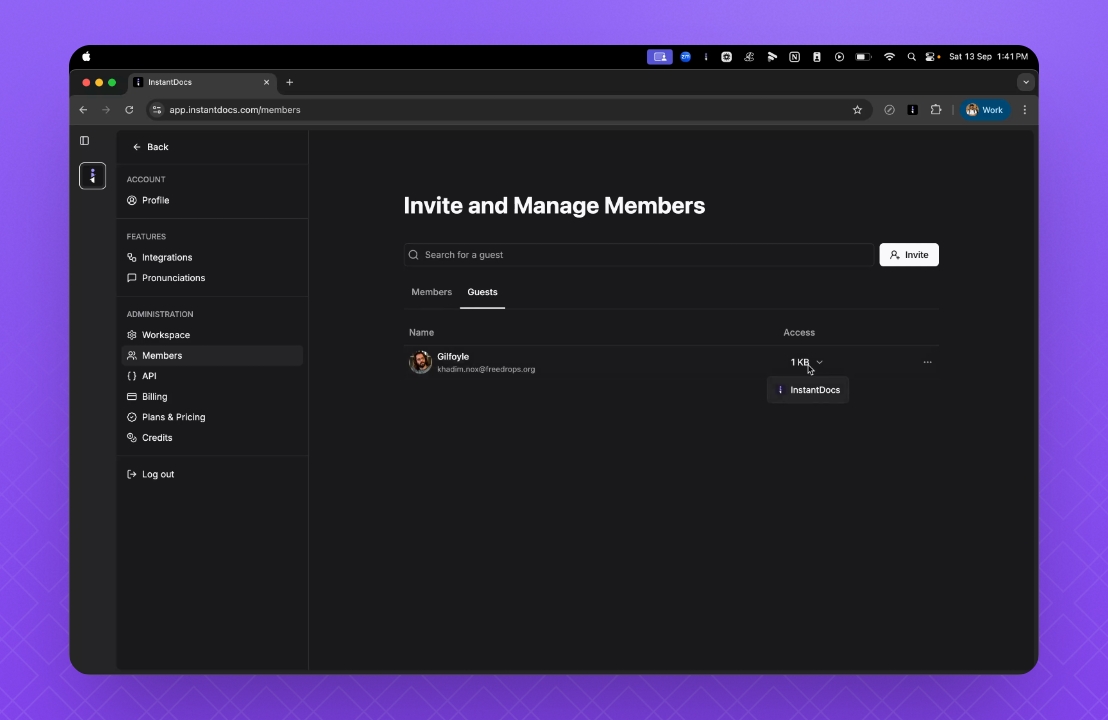
You’ll see a list of all guests you’ve shared KBs with, the Knowledge Bases they have access to, and an option to remove their guest access when needed. To learn more about adding guests to your Knowledge Base, refer to this Doc.
Why is this needed?
For example, if you want to share a public-facing Knowledge Base with specific email addresses but don’t want to give them workspace access, you can mark the public KB as “restricted to invited members” and add those emails as guests.