

TL;DR
1
Find extension version
Access the extension settings to note the version.
2
Identify your OS
Determine device's operating system.
Let's Do It Together!
Step 1: Find the Extension Version
Click the three dots in the top-right corner of the Chrome browser.
Select Extensions.
Click on Manage Extensions.
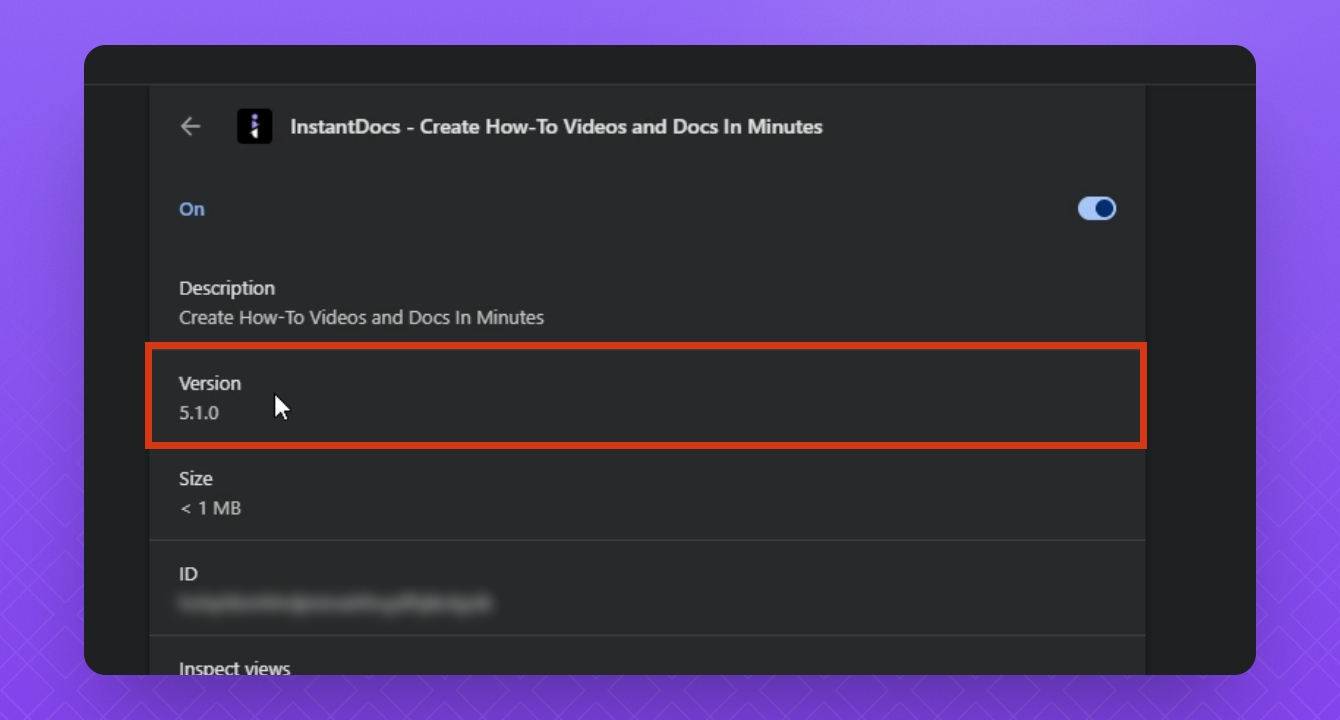
Select Details on your InstantDocs extension.
Note the version displayed for your InstantDocs app.
You have successfully found the version of your InstantDocs extension.
Step 2: Report Your Operating System
Identify the operating system you are using with the Chrome extension.
Examples include Windows 11 or MacOS.
You are now prepared to give the necessary extension version and operating system information to our support team when reporting issues.
FAQ
How do I report an issue?
Provide the extension version and your device's operating system (e.g. Windows 11, MacOS, etc) to our support team via the help widget or by emailing support@instantdocs.com