TL;DR
1
Log in to Crisp
Access your Crisp account settings.
2
Locate Website ID
Find your Website ID in Workspace Settings.
3
Create Plugin
Create a new plugin with a name and description.
4
Get Tokens
Retrieve your Identifier and API token key.
5
Confirm Tokens
Ensure tokens are accessible under Tokens.
Let's Do It Together!
1. Access Crisp Settings
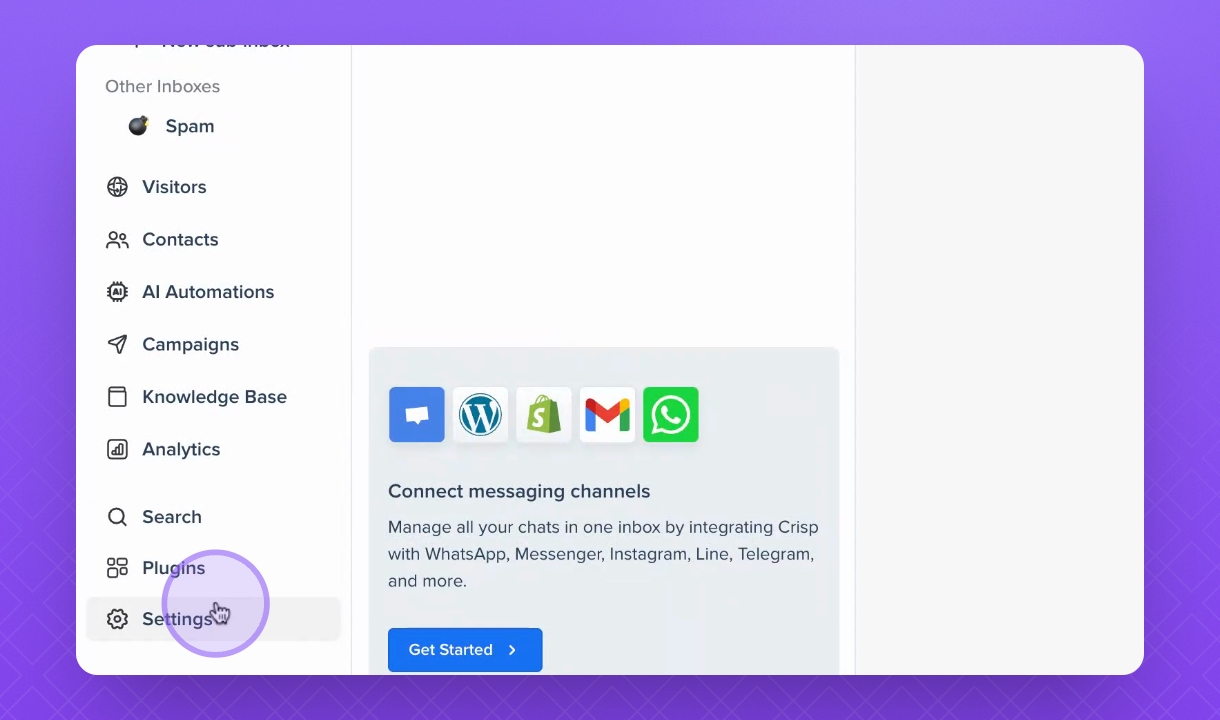
Log in to your Crisp account.
Open the Settings menu.
2. Find Website ID
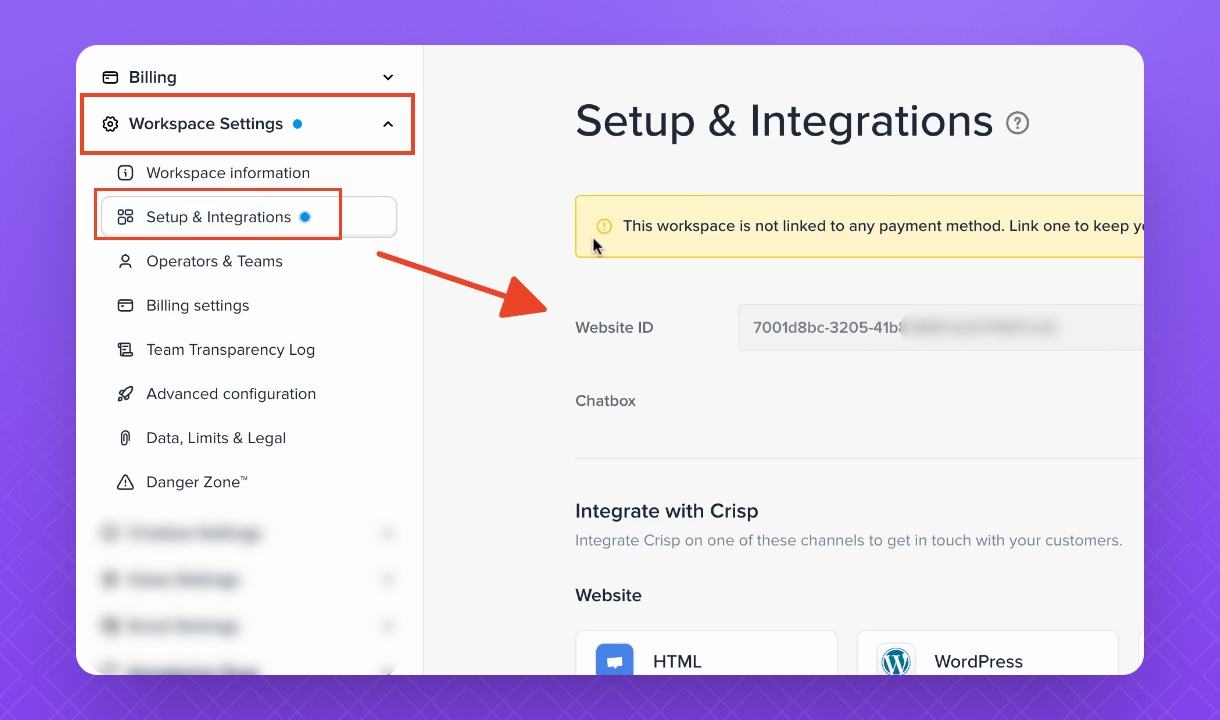
Navigate to Workspace Settings, then select Setup and Integrations.
Your Website ID will be the first number displayed.
3. Create a New Plugin
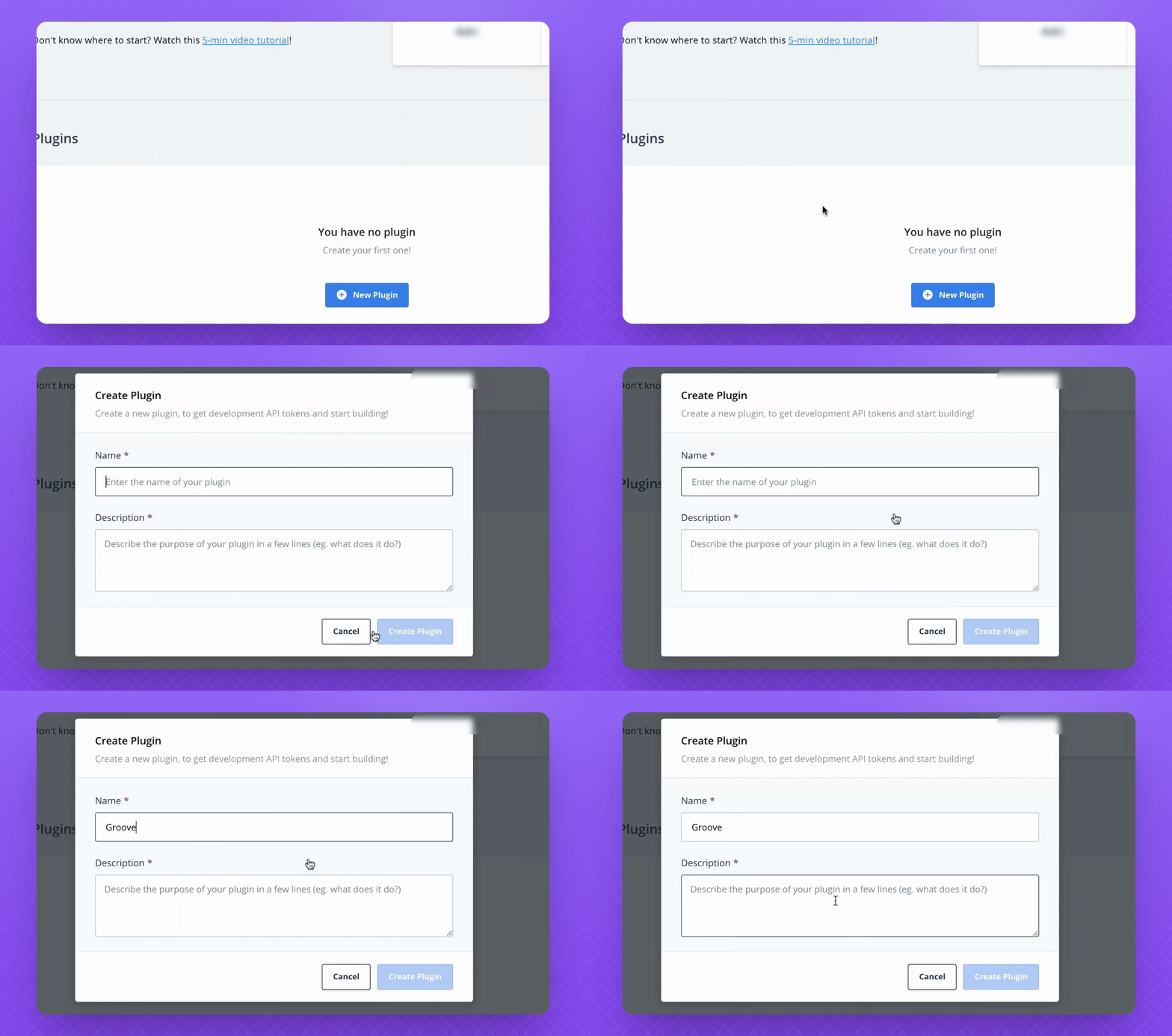
In the Plugins section, select Create a new plugin.
Enter a name and description for your plugin.
Click Create Plugin.
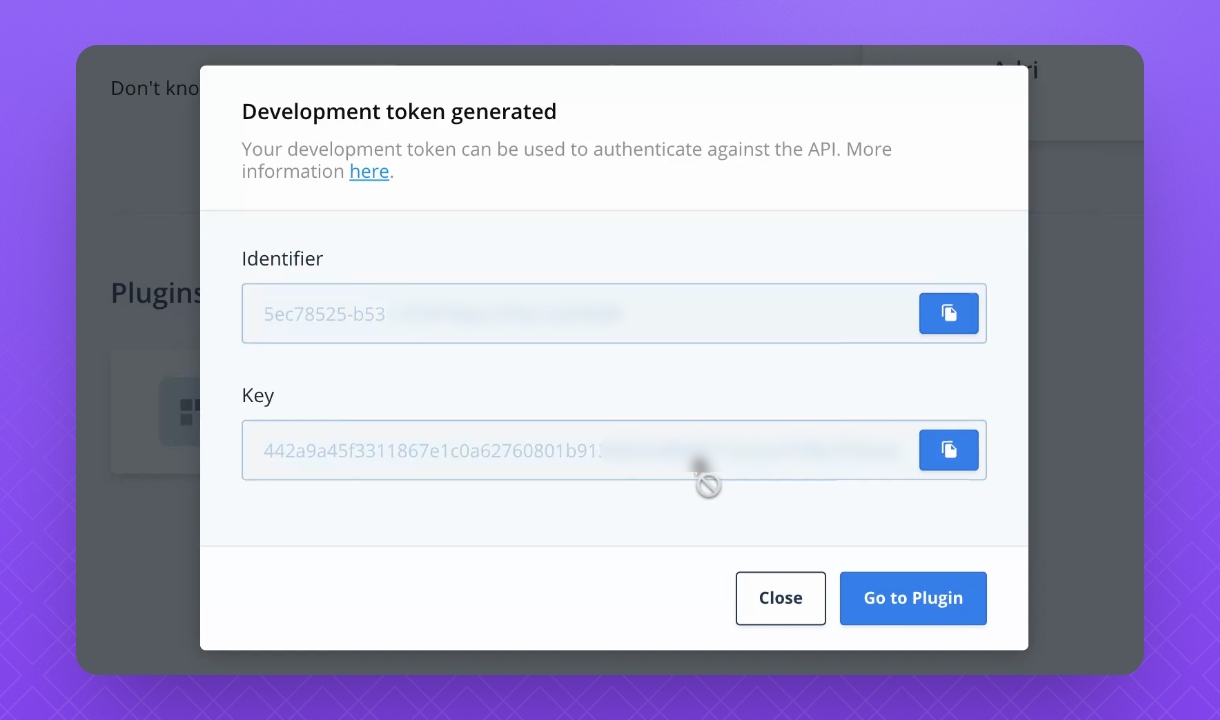
4. Retrieve Identifier and API Token
After creating the plugin, view your Identifier and API token key.
Click Go to Plugin to access these tokens.
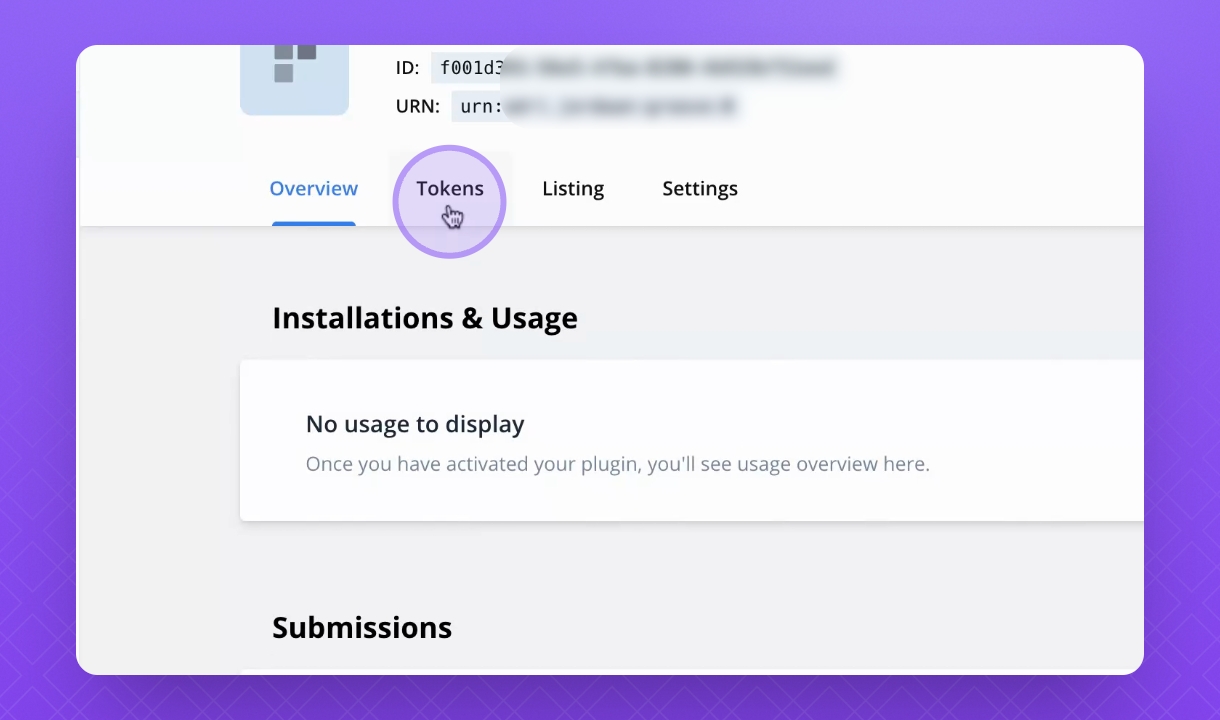
5. Confirm Token Availability
Under Tokens, you can always find your numbers here.