

TL;DR
1
Add an Accordion
Hover over an open field and click the + icon or type /Accordion.
2
Delete an Accordion
Click the dots to the left and press delete.
3
Edit Accordion
Click the name to edit and click the down arrow to add content.
4
Manage Accordions
Click x to delete or + to add more.
Let's Do It Together!
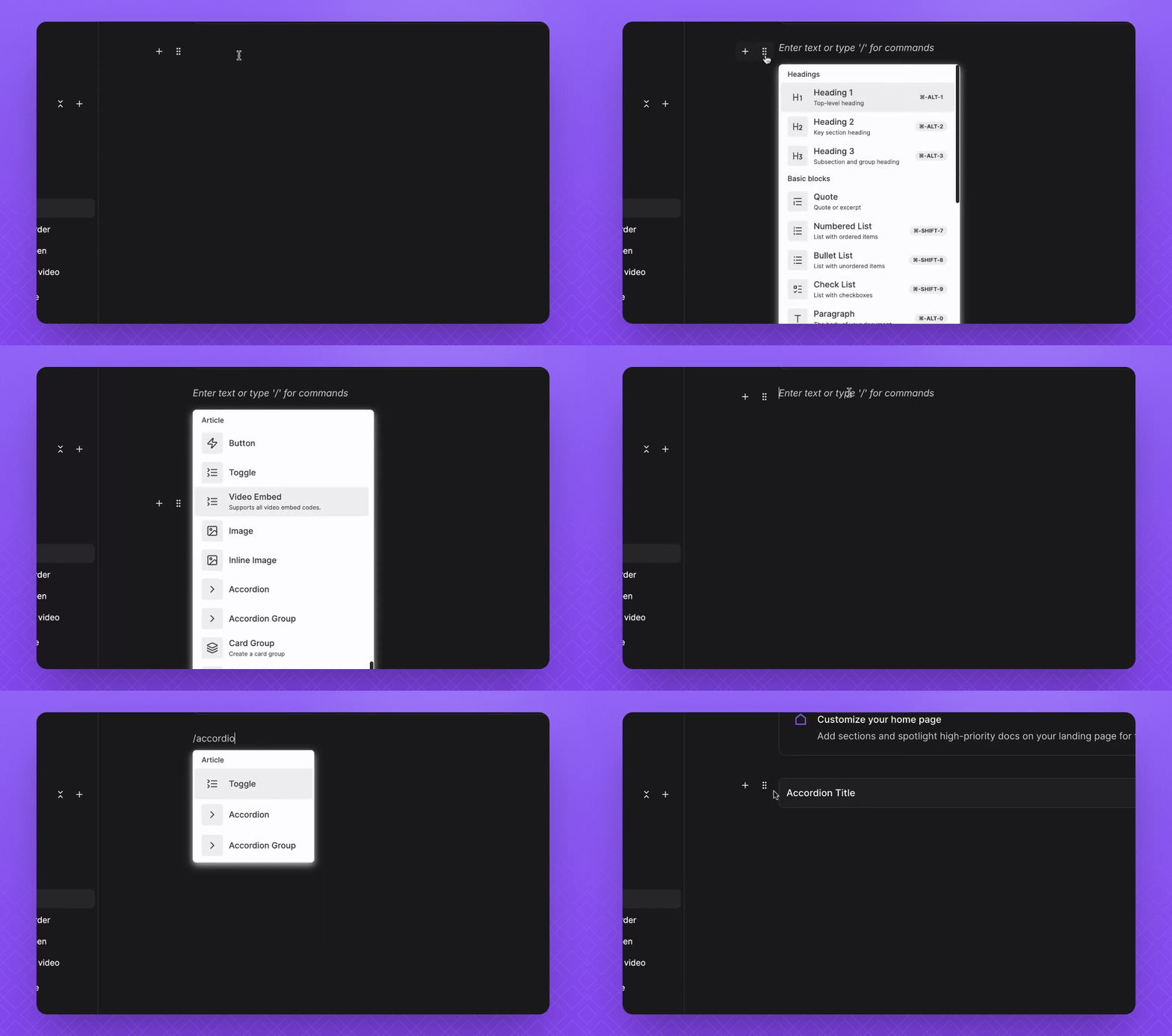
1. Add an Accordion
Hover over an open field in your dock.
Click the + icon to add an Accordion.
Alternatively, press the / and type Accordion.
2. Delete an Accordion
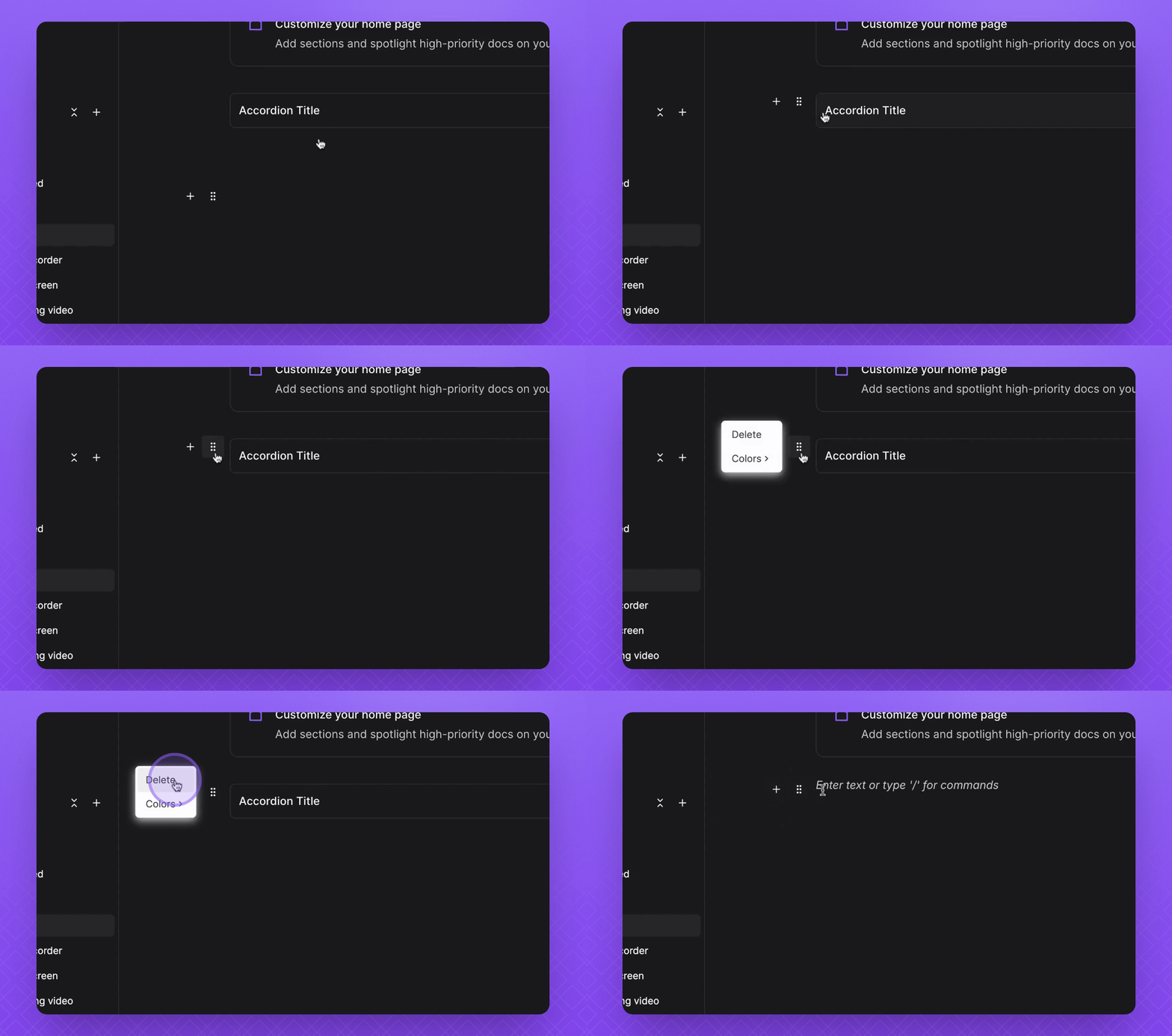
Click the six dots to the left of the Accordion you want to delete.
Press Delete to remove it.
3. Add a Group of Accordions
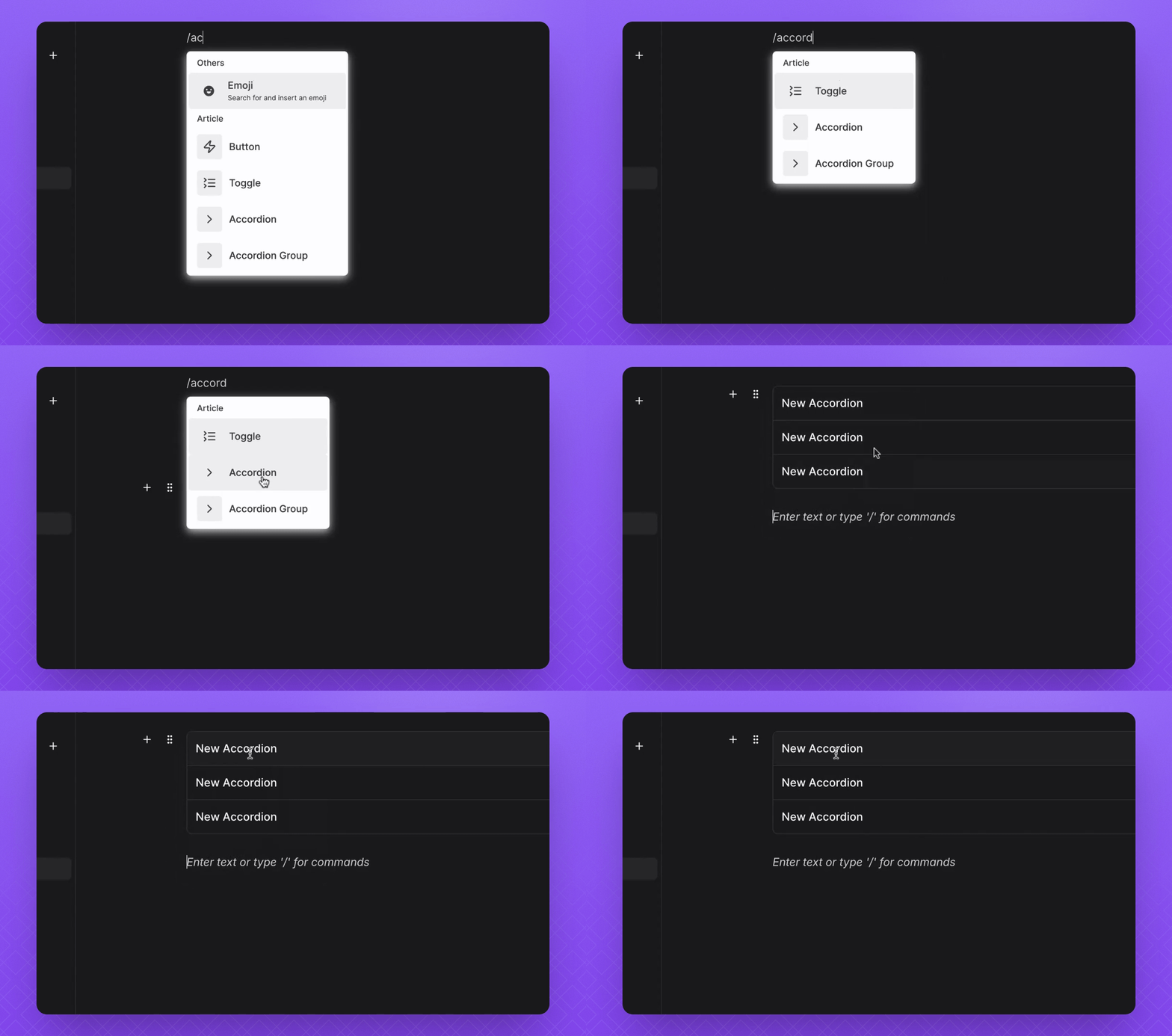
You can add a group of Accordions the same way you would add a singular Accordion, typically for FAQs.
4. Edit an Accordion
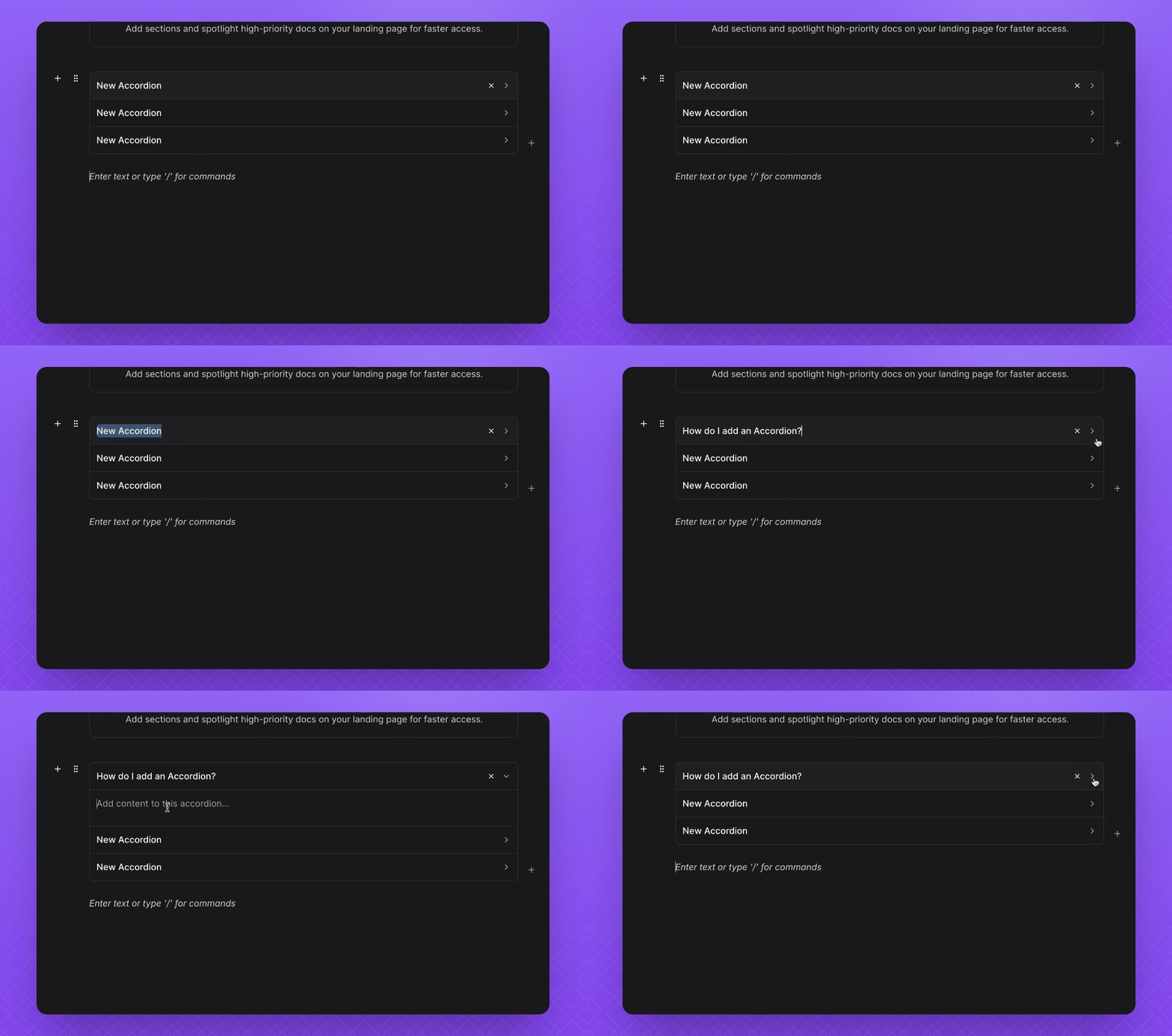
Click on the name of the Accordion to edit it.
Click the down arrow to add content.
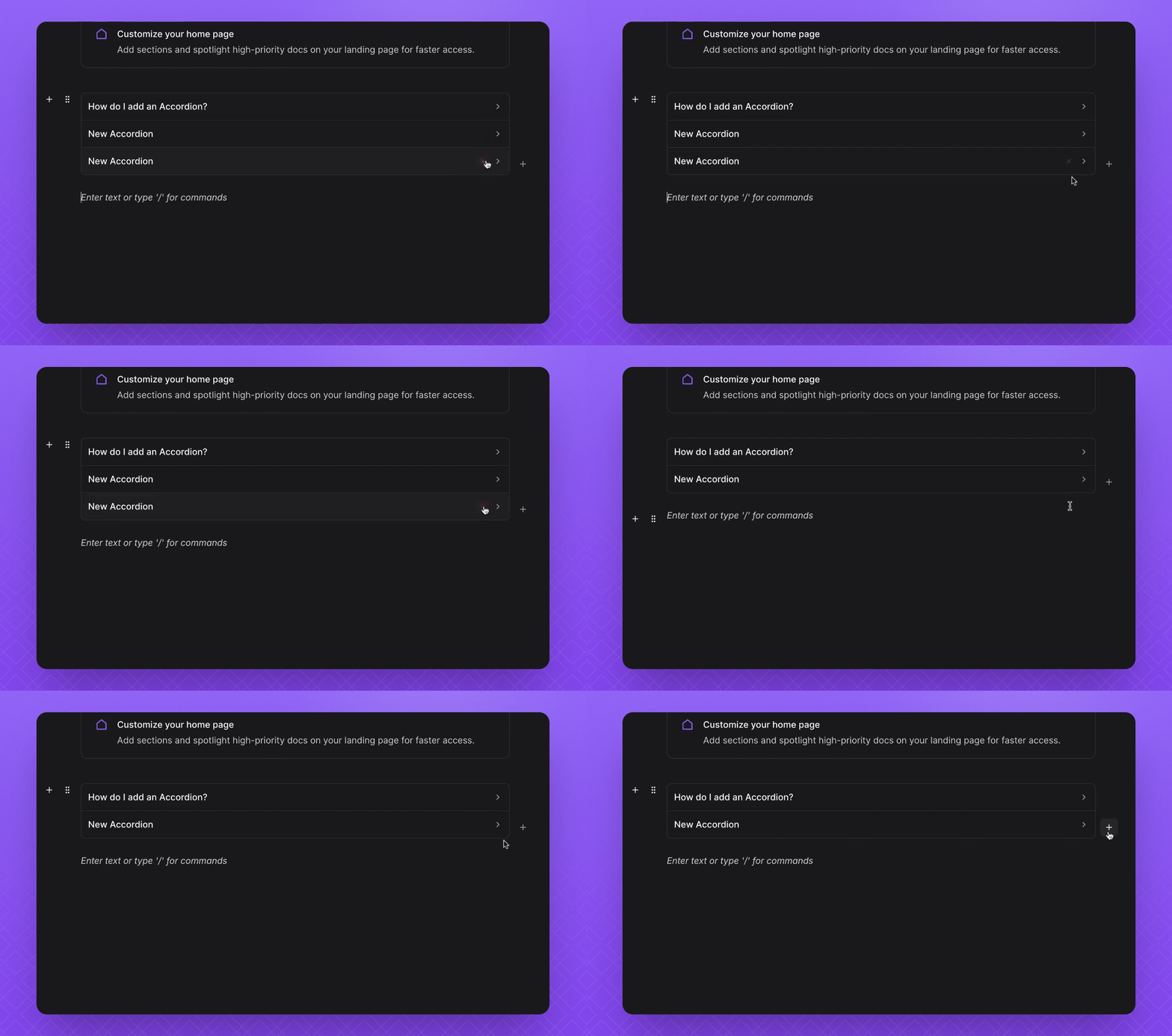
5. Manage Deletion and Addition
To delete an Accordion, click the x.
To add it back, click the + button.
FAQ
Can I add groups of Accordions?
Yes. Groups are available and work well for FAQs.
How do I edit an Accordion?
Click the Accordion name to edit it, and use the down arrow to the right to add content.
How do I delete and add an Accordion?
Click the x on the Accordion. Alternatively, click the + button to add it.