TL;DR
Let's Do It Together!
1. Create TLDRs
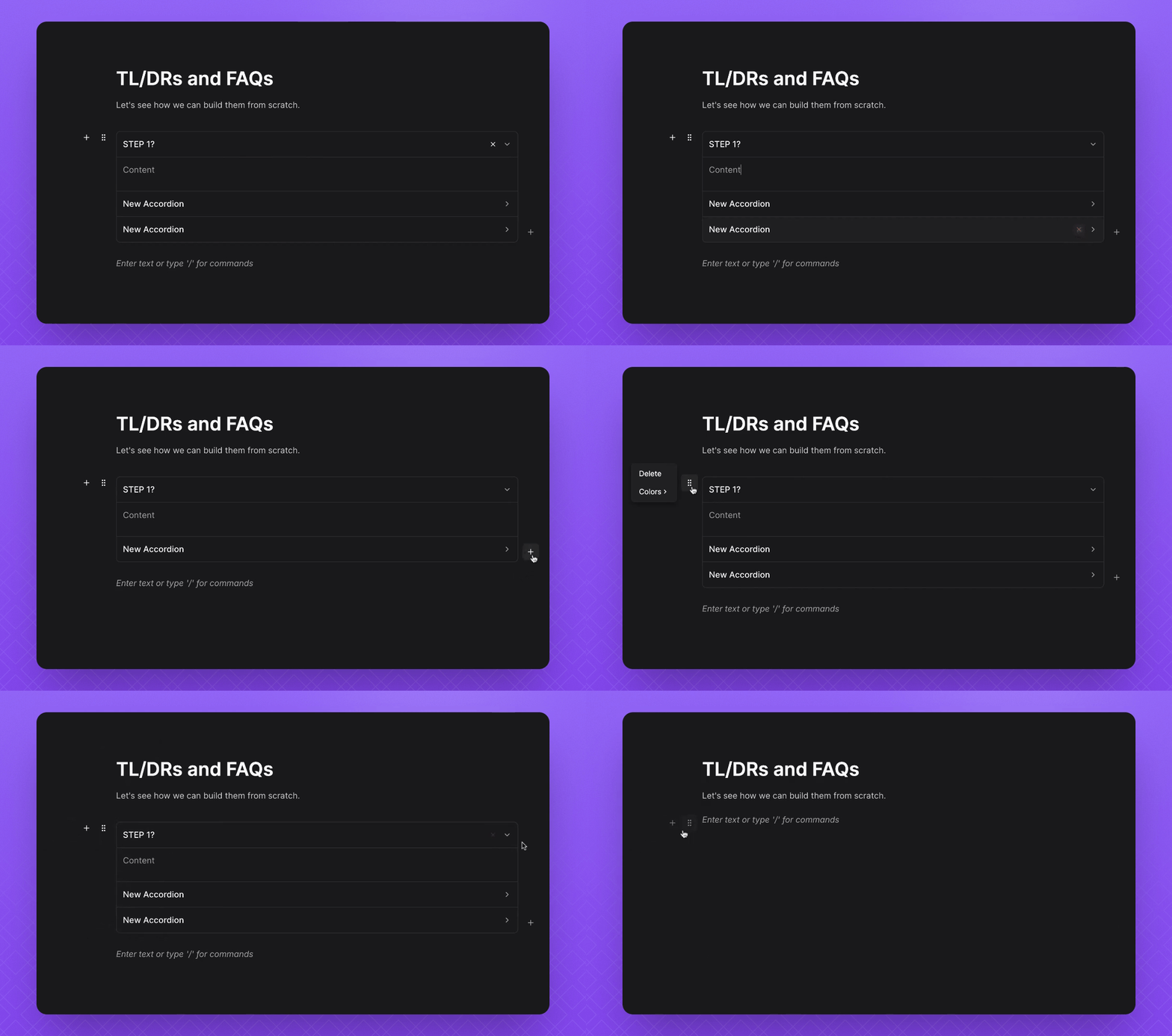
Click on Open Field and type /Steps.
Select Steps to add it to your document.
Click the three dots to open the editing menu.
Give your step a title and a description, then click Save Changes.
Your TLDR step is now created with a title and description.
2. Add or Delete TLDR Steps
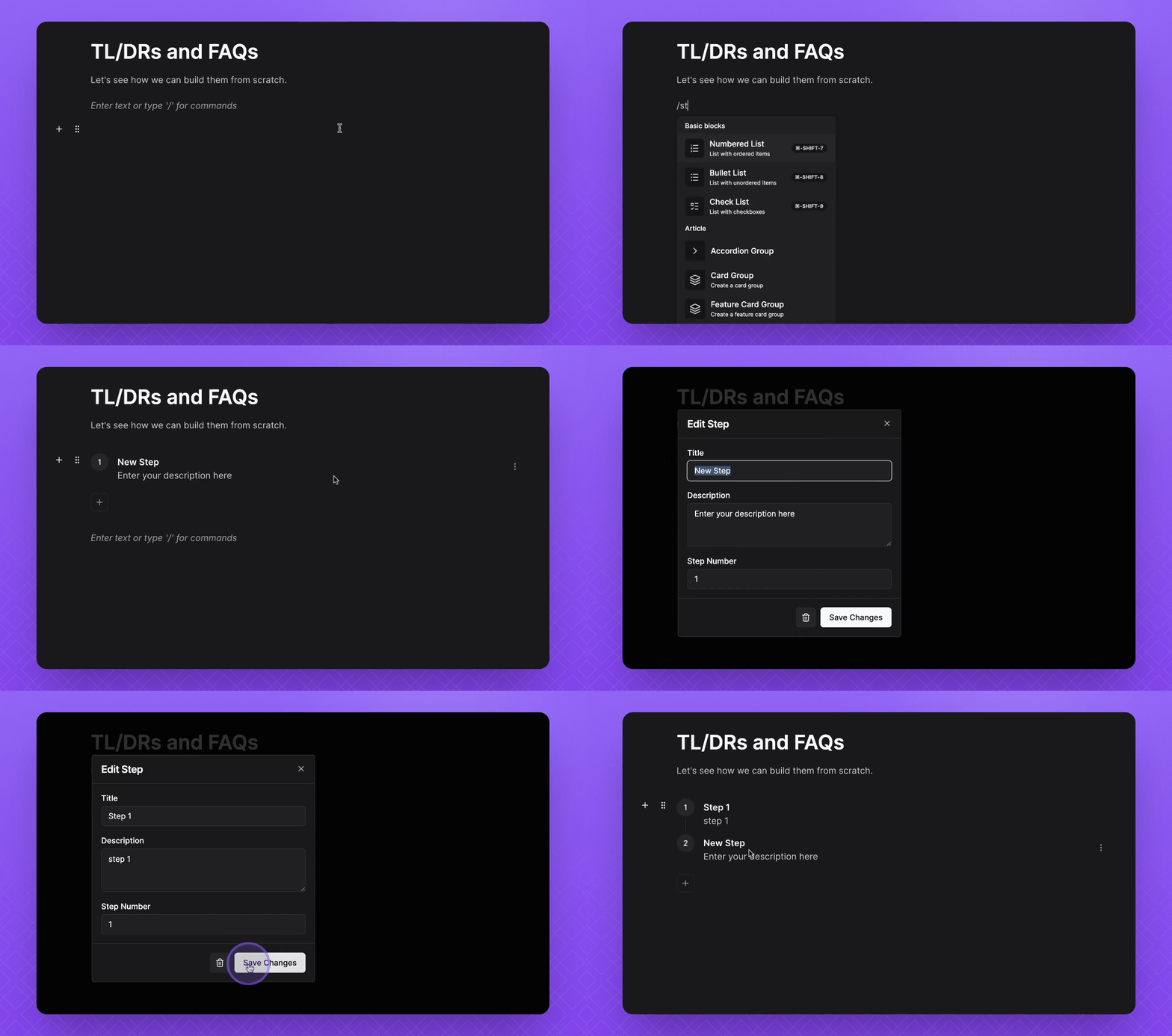
To add more steps, click the + icon below your step.
To delete a step, click the three dots and select the Bin icon.
To delete all steps, click the handle and select Delete.
3. Create FAQs
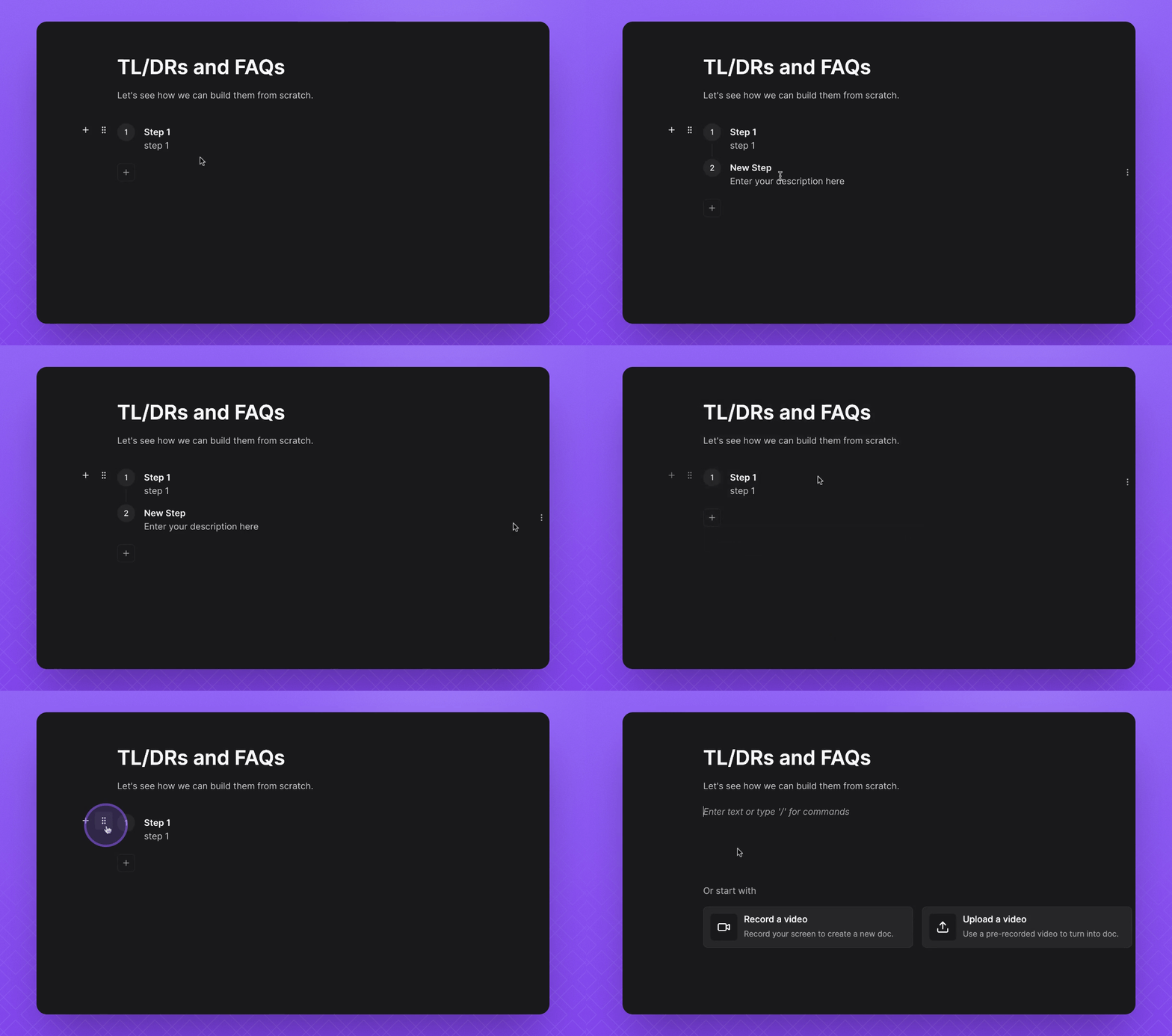
Type /Accordion and select Accordion Group.
Edit your title to state a question.
Click the drop down to edit the description or answer your question.
Your FAQ accordion is now created with a question and answer.
4. Manage FAQs
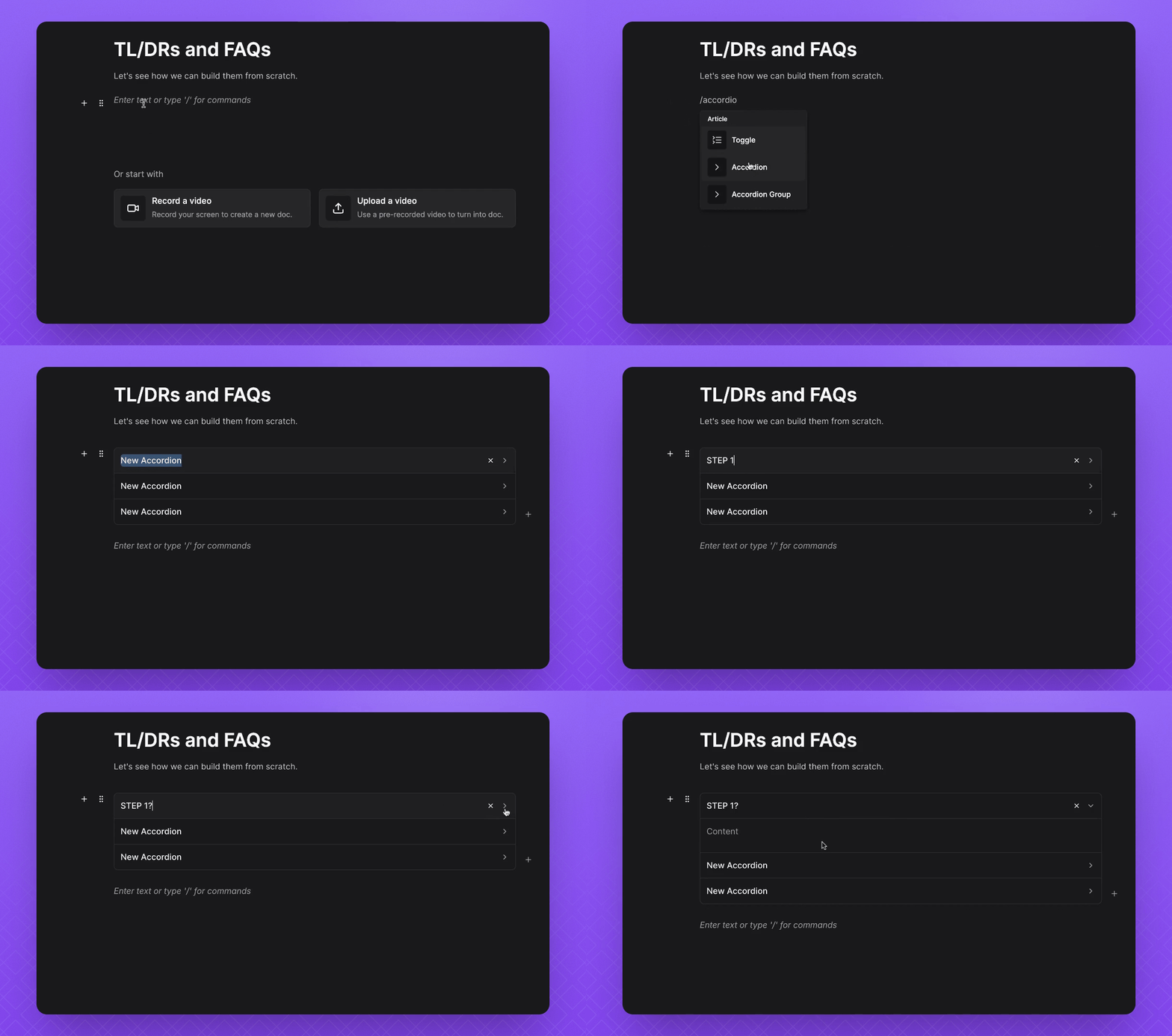
To delete a FAQ, click the X icon on the right side.
To add more FAQs, click the plus icon in the bottom right.
To delete all FAQs, click the handle and select Delete.
Your FAQs can now be managed effectively.